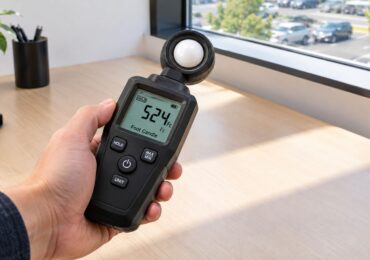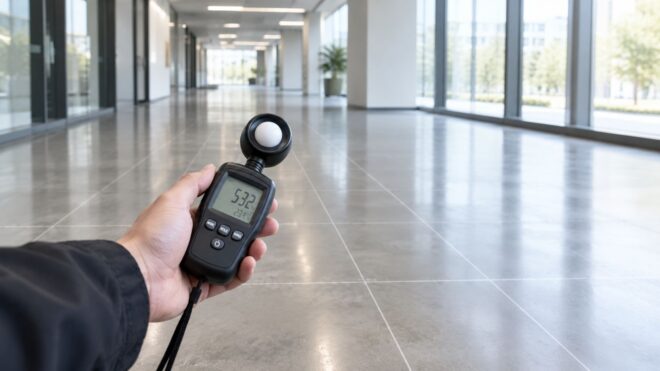
You've got a lighting complaint, a failed walkthrough, or a dark area that occupants keep pointing out. Someone takes a reading in the middle of the room, sees a reasonable number, and moves on. Then a tenant reports glare at the desks, a corridor corner stays dim, or a parking area shows poor visibility between fixtures. The problem usually isn't the meter. It's where and how the meter was used.
Learning how to measure foot candles accurately means measuring the light that reaches the actual surface people use, then recording enough points to show how the space behaves. A repeatable grid, correct sensor position, stable readings, and clear field notes turn a quick spot check into useful evidence.
Why Accurate Foot Candle Measurement Matters
A foot-candle measures illuminance, the amount of light reaching a surface. That makes it different from lumens, which describe the light produced by a fixture. A room can contain powerful fixtures and still deliver poor illumination at a desk, floor, display, or work area if distribution, mounting height, dirt, glare, or obstructions work against it. The practical definition and workplace relevance are explained in this guide to what footcandles measure.
I've seen teams take one reading beneath a bright fixture, file the result, and assume the entire space is performing the same way. That center reading can conceal a shadowed corner, a failed lamp, a blocked optic, or a wall area that receives very little light. A single number describes one location. It doesn't describe uniformity.
The center-of-room trap
The most common mistake is treating the room center as representative. Professional measurement guidance recommends sampling near fixtures, at midpoints, along walls, and in corners because those locations can reveal changes that the center misses (measurement guidance for foot-candle testing).
That distinction matters in several ways:
- Safety: A dark transition, stair approach, corridor junction, or parking path can affect how people see hazards.
- Tenant experience: Occupants notice glare, uncomfortable contrast, and dim work surfaces even when an average reading appears acceptable.
- Maintenance decisions: A pattern of low readings can point to dirt or aging. One isolated low point may indicate a failed fixture, obstruction, or control issue.
- Inspection readiness: A documented map gives facility teams something more defensible than an informal statement that the space “looks bright.”
Measurement is verification
Guessing from visual appearance doesn't work consistently. Human vision adapts to surrounding brightness, and a high reading directly below a fixture can make nearby areas seem acceptable when they aren't. Measurement should verify actual conditions at the plane where the task occurs.
Field rule: A reading without a location, height, unit, and site condition is difficult to repeat and weak evidence for a repair decision.
Repeatability also protects energy decisions. If a facility is considering relamping, fixture replacement, or control adjustments, the team needs a baseline that can be compared with later readings. That baseline should identify the test area, operating conditions, sensor position, and every recorded point. The objective isn't to collect the biggest number. It's to understand the distribution occupants experience.
Tools You Need Before You Measure
Start with a dedicated handheld illuminance meter that can display foot-candles, or fc, directly. A reliable meter reduces conversion mistakes and gives you a sensor designed for illuminance work. Smartphone applications can help with a rough visual check, but they shouldn't replace a properly prepared handheld meter when you're documenting a commercial space, investigating a complaint, or supporting a contractor decision.
Prepare the meter
Before entering the test area, check the instrument rather than assuming it's ready:
- Select fc mode: If the meter offers both lux and fc, confirm the displayed unit before recording anything.
- Check the battery: A weak battery can interrupt a survey or create uncertainty about instrument behavior.
- Inspect calibration information: Use a meter with current calibration documentation when results support compliance, acceptance, or a formal dispute.
- Clean the sensor: Dust, fingerprints, and residue can alter the amount of light reaching the detector. Clean it with the method recommended by the manufacturer.
- Protect the detector: Keep the sensor capped or covered while moving through the site so it doesn't collect dirt or suffer damage.
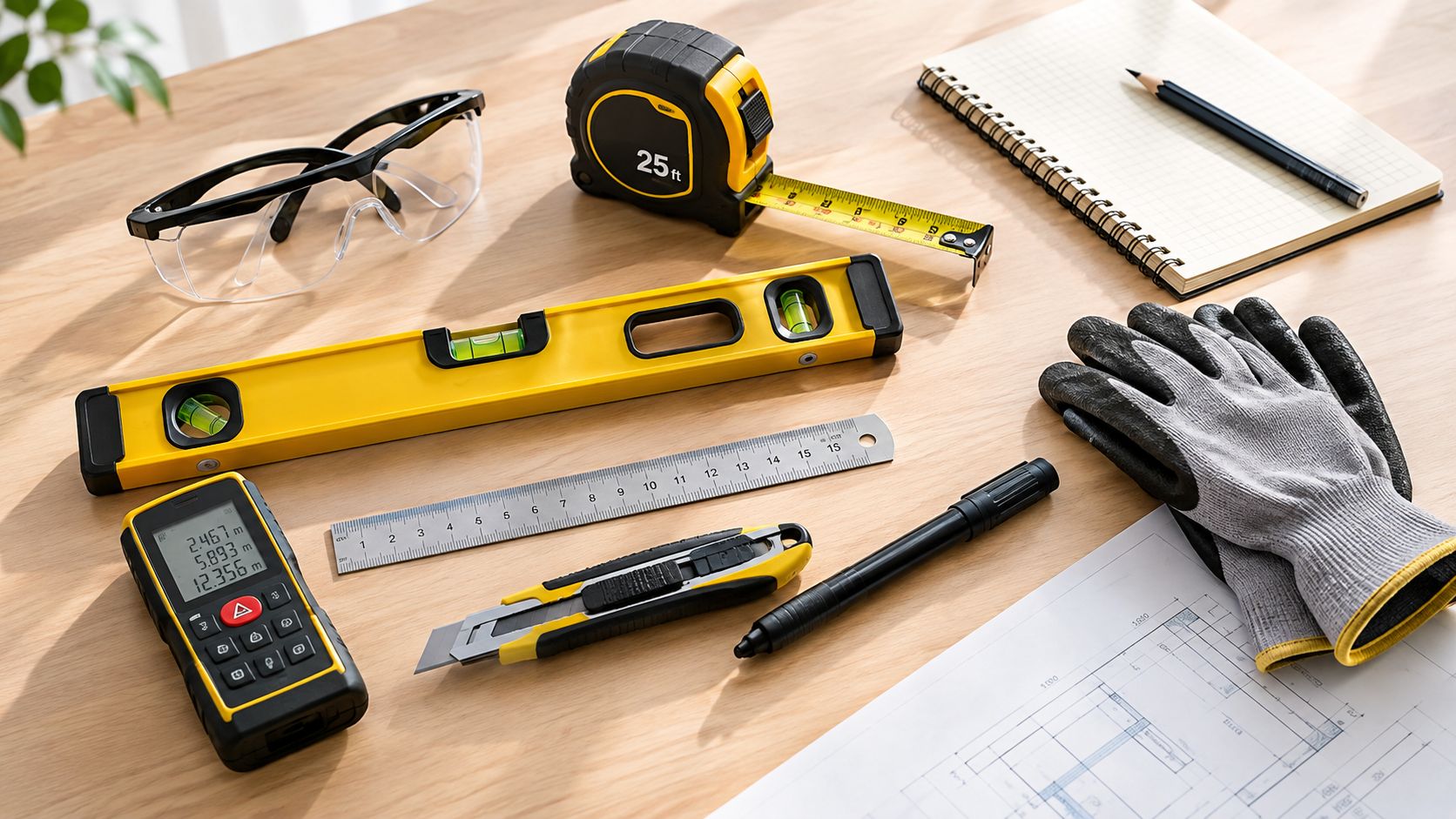
A practical kit also includes a floor plan or printed sketch, pencil, clipboard, measuring tape, spare batteries, and a phone or camera for documenting conditions. A laser distance measurer can help you lay out points, while a simple paper grid often works better than an elaborate app when you're moving through a busy property.
Decide what the reading must represent
The meter is only as useful as the measurement plan. Identify whether you're checking a desk, retail display, corridor floor, parking surface, rack, workbench, or another task plane. The detector height should match that use case, because desk-height, floor-level, and rack-height readings answer different questions (guidance on task height and repeatable mapping).
You'll also need to decide whether the survey requires horizontal or vertical readings. A desk or floor generally calls for a horizontal plane. A display face, shelf front, or sign may require a vertical plane. Don't angle the detector toward a lamp to capture more light. Measure the plane occupants or workers use.
Keep the documentation simple
Create a log with these fields:
- Point number and location: Match every number to a floor-plan mark.
- Measurement height: Record the task plane, such as desk, floor, or rack level.
- Unit: Write fc for direct readings, or lux if that's what the meter displays.
- Condition: Note daylight, operating fixtures, controls, doors, equipment, and unusual obstructions.
- Reading status: Mark whether the value stabilized before you recorded it.
This preparation prevents the expensive shortcut of returning to a site because nobody can explain how the original readings were taken.
How to Position and Read the Meter Correctly
Meter handling determines whether the reading reflects the space or the operator's technique. Place the detector at the actual task plane, not at a convenient height. A desk survey belongs at desk height. A parking survey belongs at the surface being evaluated. A rack or workbench survey should represent the working level that matters.
Set the detector so its sensor is parallel to the work surface. Practical measurement guidance also warns against aiming the sensor directly at the lamp, since that changes the geometry and can overstate the light reaching the plane (foot-candle measurement technique and unit conversion).
Use this field sequence
- Place the detector: Set it at the selected task height and orientation.
- Confirm the plane: Keep the sensor parallel to the horizontal or vertical surface being evaluated.
- Step out of the light path: Position your body and equipment so they don't shade the detector.
- Let the meter stabilize: Wait until the display settles rather than recording the first changing value.
- Hold it still: Movement can make the displayed value fluctuate, especially in uneven or mixed lighting.
- Record the result: Write the point number, reading, height, unit, and relevant conditions immediately.
- Repeat at the next mapped point: Don't relocate points casually, or the survey won't be repeatable.
Small obstructions matter. Your body, clipboard, ladder, or even the meter cable can cast a shadow on the sensor and bias the reading downward. Stand to the side or behind the detector's light path, and keep your hands away from the sensing surface.
Don't confuse direction with brightness
A sensor facing the lamp isn't measuring the same condition as a sensor parallel to the task plane. The first setup emphasizes the source. The second measures the light arriving at the surface. For a horizontal work plane, hold the detector level. For a vertical surface, align it with that surface and document the orientation.
Take multiple readings when the display is unstable or the lighting changes. Record the settled value rather than mentally averaging a moving display. If daylight enters through windows, note whether blinds, doors, and nearby fixtures were in their normal operating positions.
Convert units only when necessary
If the instrument reports lux, divide the lux reading by 10.764 to obtain foot-candles. The exact relationship is 1 foot-candle equals 10.764 lux, as documented in the cited measurement guidance (lux and foot-candle conversion details). Use the same unit throughout a survey whenever possible. Mixing lux and fc in one log makes comparison harder and creates avoidable errors.
The conversion is mathematical, but the physical setup still matters more than the button you press. A perfectly converted reading taken at the wrong height or under an operator's shadow is still the wrong reading.
Mapping Your Space With Grids and Spot Checks
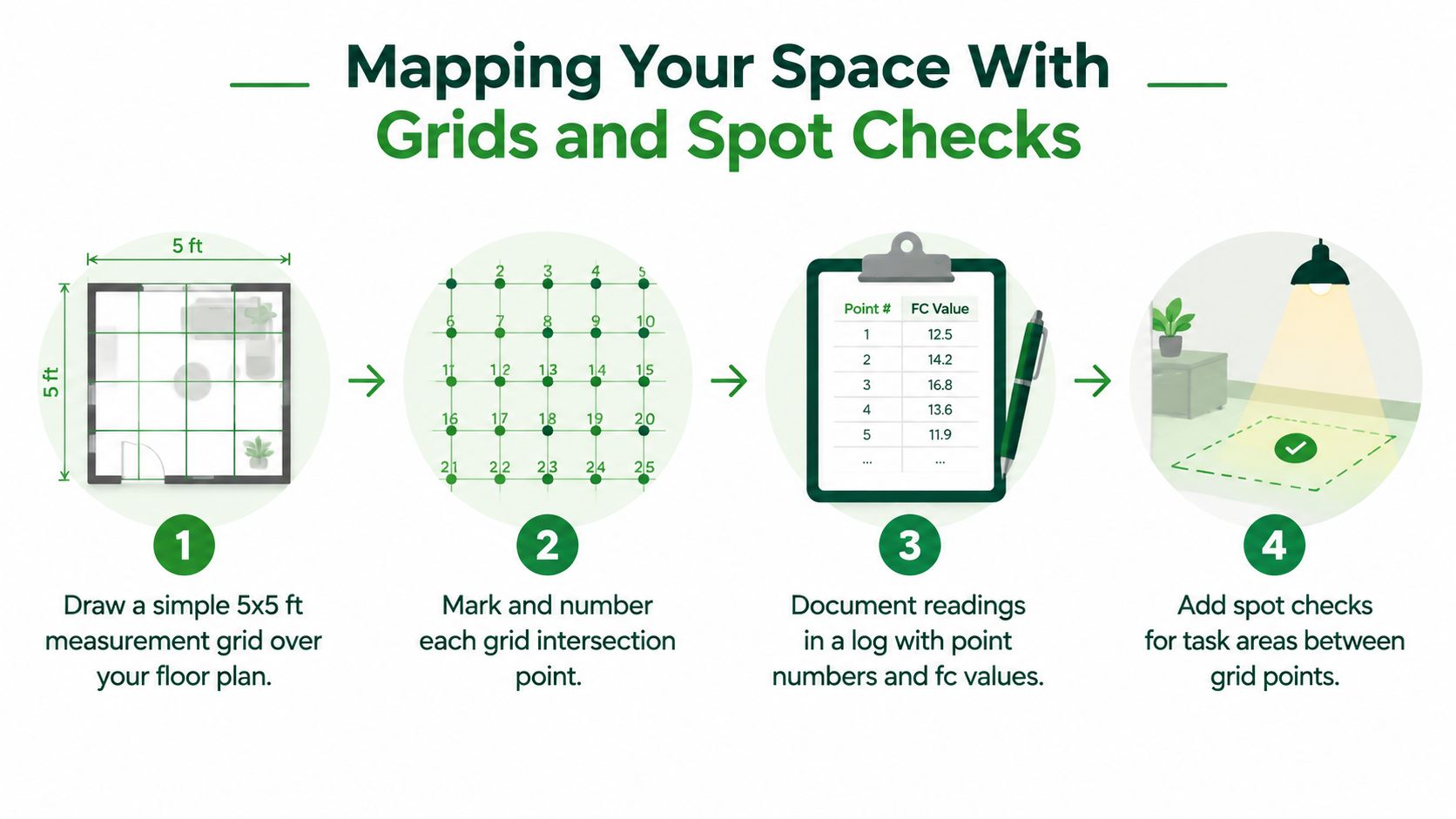
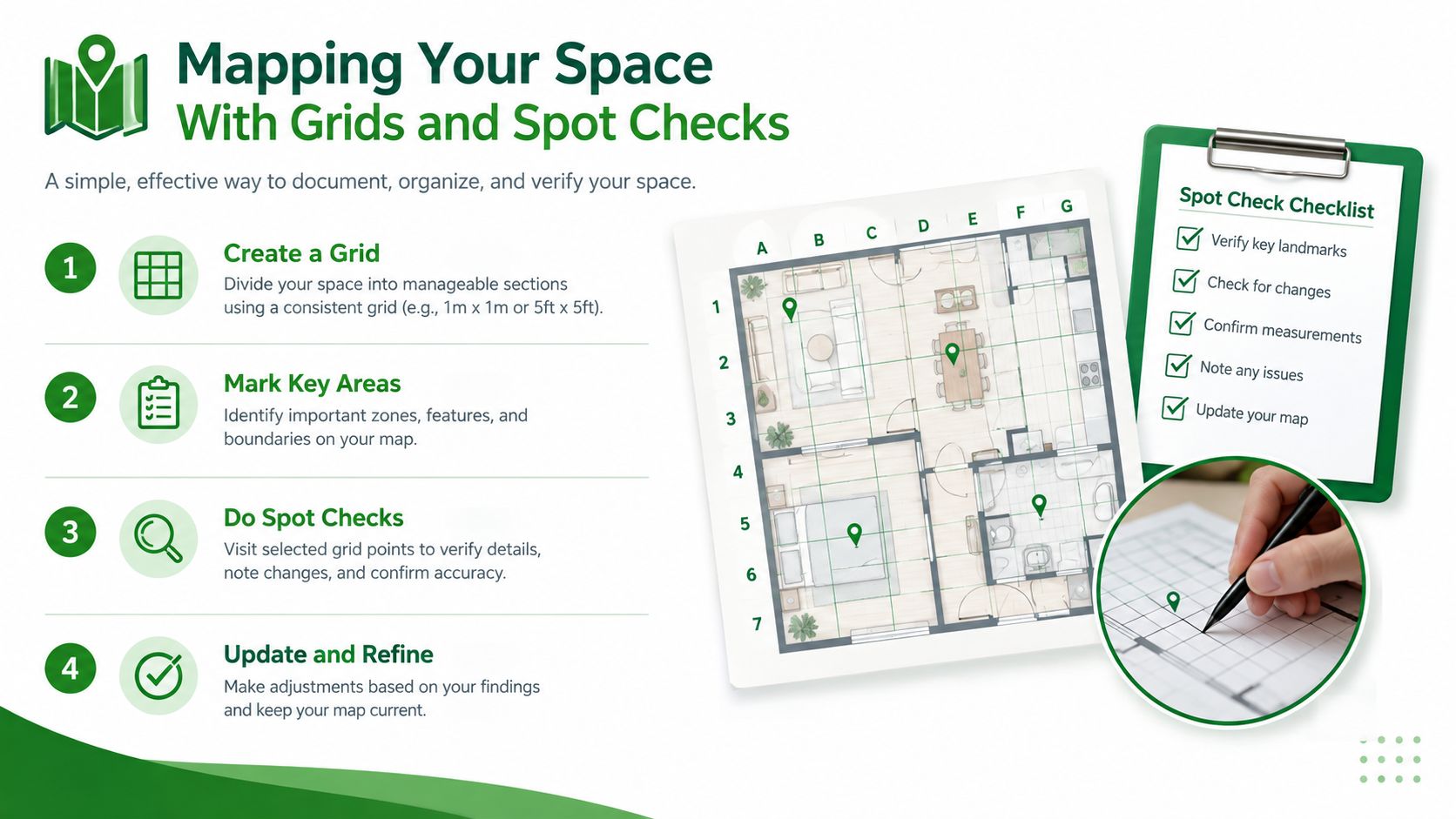
A useful survey starts with a drawing. It doesn't need to be architectural. Sketch the room, parking bay, corridor, sales floor, or work area, then overlay a consistent grid. The grid creates fixed locations that another technician can find and measure later.
Use the provided visual as a practical reminder of the sequence.
Build a repeatable map
Draw the grid over the floor plan or sketch, then label every intersection. The exact spacing should fit the space and the decision you're making. What matters most is consistency. A corridor, parking structure, retail floor, and work area may need different layouts, but each should use points that are easy to relocate.
At every point, record:
- Point ID: Use a simple sequence such as A1, A2, or another clear system.
- Physical reference: Note the nearby wall, column, fixture, doorway, rack, or parking line.
- Measurement plane: Identify floor, desk, rack, workbench, or vertical display surface.
- Reading and unit: Record the settled value in fc or lux.
- Conditions: Note daylight, fixture status, controls, shadows, vehicles, stored materials, and doors.
A numbered map prevents the “somewhere near the middle” problem. It also lets you compare the same point after cleaning, relamping, control changes, or fixture replacement.
Add points where problems actually occur
A regular grid gives you coverage, but it shouldn't be your only evidence. Add spot checks near fixtures, between fixtures, walls, corners, entrances, transitions, and task-specific areas. These locations often expose the contrast between a bright source zone and a dim area between sources.
For a retail floor, measure the customer circulation surface and add vertical checks at merchandise or display faces when those surfaces matter. In a corridor, include the walking plane and locations near turns, doors, and wall intersections. In a parking structure, include driving and walking areas, columns, ramps, stair approaches, and spaces between luminaires.
Measure at the height that answers the question
The same location can produce different results at different heights. A floor-level reading can describe walking visibility, while a desk-height reading describes office work. Rack height can matter in storage or distribution areas, and a vertical reading can be more meaningful than a horizontal one for a display or sign.
This is the gap many basic explainers miss. Mapping only the center of the room, or measuring every point at one arbitrary height, can create a neat-looking report that doesn't represent the task. Use the foot-candle calculator for unit and calculation support, but keep the physical survey tied to the use of the area.
Repeatability test: Give the map and log to another technician. If that person can locate the same points and understand the same measurement plane, your documentation is doing its job.
Look for patterns while you collect data. A gradual falloff toward a wall suggests distribution or mounting geometry. One isolated low point may indicate a failed fixture, obstruction, or local shadow. A bright strip beside a dark strip can point to spacing, optics, or control behavior. The grid turns those observations into locations that maintenance staff can investigate.
Interpreting Results and Comparing to Standards
Raw readings become useful when you summarize them without hiding the weak points. Start with the average for the mapped area, then identify the minimum and maximum. The average describes overall output, while the minimum shows the condition at the weakest recorded point. The spread between readings reveals whether people experience consistent illumination or sharp changes.
Uniformity deserves separate attention. Two spaces can produce a similar average while one has comfortable, even coverage and the other has dark pockets surrounded by bright fixtures. Don't approve a lighting change from the average alone.
Compare the result with the right expectation
Foot-candle targets depend on the task, surface, mounting arrangement, reflectance, glare limits, operating conditions, and the standard or project specification being applied. General planning references can provide a starting point, but they shouldn't be treated as a substitute for a site-specific design or an Authority Having Jurisdiction review.
Use this interpretation table as a troubleshooting framework, not as a code schedule.
| Area Type | What to Check in Readings | Typical Next Action if Low or Uneven |
|---|---|---|
| Parking area or structure | Compare walking and driving surfaces, ramps, corners, columns, and spaces between fixtures. | Inspect failed fixtures, dirty lenses, controls, obstructions, and fixture spacing before selecting replacement equipment. |
| Retail sales floor | Check customer paths, perimeter zones, display faces, and transitions between aisles. | Clean or relamp affected fixtures, correct aiming or shielding, then reassess vertical and horizontal planes. |
| Corridor | Check the walking plane, turns, doorways, stair approaches, and wall intersections. | Investigate local failures and shadowing first. Review distribution or controls if the low pattern repeats across the corridor. |
Turn patterns into decisions
A decision matrix helps prevent unnecessary redesign:
- Low everywhere: Verify meter setup and operating conditions, then investigate fixture output, control schedules, mounting height, and overall design.
- Low near selected fixtures: Inspect those fixtures for failed lamps, driver problems, dirt, damage, or disconnected circuits.
- Low only at edges or corners: Review spacing, wall conditions, obstructions, and optical distribution.
- Uneven with bright peaks: Check fixture aiming, dimming behavior, spacing, glare, and whether the selected equipment suits the layout.
- Readings change during the survey: Stabilize the meter, document controls and daylight, and repeat under consistent conditions.
If you have lux readings, convert them by dividing by 10.764, because 1 foot-candle equals 10.764 lux (conversion reference for foot-candles and lux). Keep the converted values tied to their original point IDs so the calculation doesn't separate from the physical location.
Know when measurement is not compliance verification
A field survey can identify deficiencies and support planning, but it doesn't automatically establish code compliance. Emergency lighting, accessibility, energy controls, and project specifications may require separate procedures, test conditions, or professional review. If an inspection depends on a particular standard, compare your mapped results with the approved project documents and confirm the requirement with the responsible safety team, engineer, or AHJ.
Documenting Findings and Planning Next Steps
A strong report lets someone act without returning to the site just to decode your notes. Include the floor plan or sketch, numbered grid, point readings, measurement heights, units, fixture operating conditions, daylight conditions, photos, and a short recommendation for each problem pattern.
Separate facts from conclusions. “Point B3 measured low with the adjacent fixture off” is a field observation. “Replace the fixture” is a recommendation that should follow an inspection of the fixture, circuit, controls, and surrounding conditions.
Use a practical closeout checklist
- Preserve the baseline: Save the original log, map, date, instrument details, and site conditions.
- Group related defects: Separate failed fixtures from broad distribution problems, control issues, dirt, and obstructions.
- Assign a corrective action: Identify whether the next step is cleaning, relamping, repair, control adjustment, aiming, or design review.
- Recheck the same points: Use the original IDs and task planes after corrections so the comparison is valid.
- Escalate specialized work: Bring in a qualified electrical contractor for high-mounted fixtures, pole service, emergency lighting testing, electrical troubleshooting, or formal Title 24 verification and documentation.
The most useful survey is not the one with the most readings. It's the one that connects every reading to a location, task, condition, and next action. That workflow works across offices, retail properties, multifamily sites, corridors, parking structures, and outdoor areas.
Access Electrical and Lighting can map and troubleshoot commercial lighting, service parking and elevated fixtures, test emergency systems, and support Title 24 testing and documentation. For a field assessment that connects foot-candle readings with practical repairs, visit Access Electrical and Lighting to discuss your property and next steps.